
SSD VS HDD Explained: Which Is Better
SSD VS HDD Explained
Understanding SSD vs HDD explained is essential when choosing storage for your computer, laptop, or business systems in 2026. Storage type directly affects speed, performance, reliability, and overall user experience.
At FGEE Technology, we help businesses and individuals choose the right hardware solutions to improve performance and efficiency.
What Is an SSD?
An SSD (Solid State Drive) is a modern storage device that uses flash memory to store data.
Key features:
- Very fast read and write speed
- No moving parts
- More durable
- Quiet operation
SSDs are widely used in modern laptops and business computers because of their high performance.
What Is an HDD?
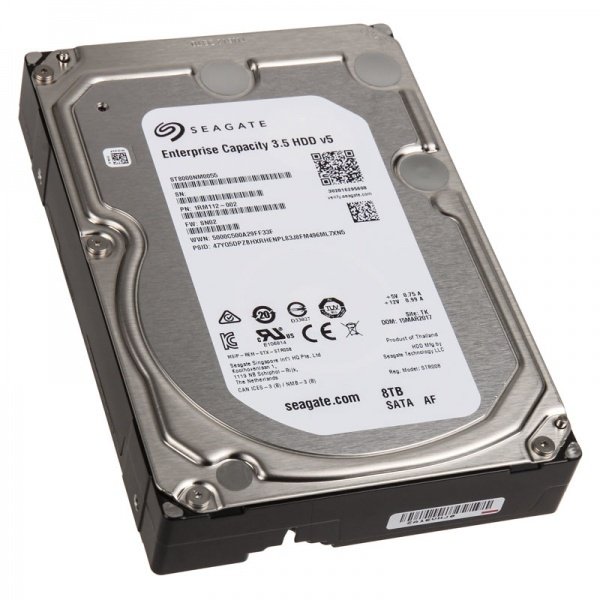
An HDD (Hard Disk Drive) is a traditional storage device that uses spinning disks to read and write data.
Key features:
- Larger storage capacity
- Lower cost
- Slower performance
- Mechanical moving parts
HDDs are still common in budget computers and data storage systems.
SSD vs HDD Explained: Key Differences
1. Speed
SSD is significantly faster than HDD.
- SSD: Fast boot time and file transfer
- HDD: Slower performance due to mechanical movement
2. Durability
SSD is more durable.
- SSD: No moving parts, resistant to shock
- HDD: Fragile due to spinning disks
3. Storage Capacity
HDD offers more storage for lower cost.
- SSD: Expensive for large storage
- HDD: Affordable for large data storage
4. Performance
SSD delivers better overall system performance.
- Faster applications
- Smooth multitasking
- Better gaming experience
When Should You Use SSD?
Choose SSD if you need:
- Fast performance
- Quick boot time
- Better productivity
- Modern system efficiency
When Should You Use HDD?
Choose HDD if you need:
- Large storage at low cost
- Backup storage
- Archiving files
SSD vs HDD Explained: Which Is Better?
In most cases, SSD is better because it offers:
- Higher speed
- Better reliability
- Improved performance
However, HDD is still useful for large storage needs.
Benefits of SSD Over HDD
- Faster system performance
- Improved boot speed
- Reduced loading times
- Better durability
Real-World Example
A business upgraded from HDD to SSD systems:
Results:
- 60% faster boot time
- Improved employee productivity
- Faster software performance
- Reduced system lag
FAQs
What is the main difference between SSD and HDD?
SSD uses flash memory and is faster, while HDD uses spinning disks and is slower.
Is SSD better than HDD?
Yes, SSD is generally better due to speed and durability.
Why is HDD still used?
HDD is cheaper and offers larger storage capacity.
Can I use both SSD and HDD?
Yes, many systems use SSD for speed and HDD for storage.
Which is best for business use?
SSD is better for performance, while HDD is good for backups.
Final Thoughts
Understanding SSD vs HDD explained helps you make better decisions when choosing storage devices in 2026.
SSDs offer speed and performance, while HDDs provide affordable storage solutions. Choosing the right option depends on your needs and budget.
At FGEE Technology, we help businesses and individuals select the right hardware for optimal performance and efficiency.



Comments (0)