Things to Check Before Buying a Laptop in Kenya
Buying a laptop is a significant investment, especially when you want a device that will remain reliable for school, work, business, entertainment or creative projects. If you’re searching for things to check before buying a laptop in Kenya, understanding the key specifications, features and overall value can help you make the right choice. With so many brands, specifications and price points available in Kenya, choosing the right laptop can quickly become confusing.
The most expensive laptop is not necessarily the best laptop for you. The right choice depends on what you plan to do with the computer, the specifications you need, your budget and the support available after purchase.
Before buying a laptop, check the processor, RAM, storage, display, battery life, graphics, ports, build quality, operating system, warranty and overall value for money.
This guide explains the key things to consider when choosing a laptop in Kenya.
Quick Answer: What Should You Check Before Buying a Laptop?
Before buying a laptop, consider these factors:
- Purpose – Know what you will use the laptop for.
- Processor – Choose a processor suitable for your workload.
- RAM – Consider at least 8GB for basic use and 16GB for heavier multitasking.
- Storage – An SSD generally provides faster performance than a traditional HDD.
- Display – Check screen size, resolution, panel quality and brightness.
- Battery life – Consider how long you need to work away from a power outlet.
- Graphics – Integrated graphics may be enough for everyday use, while gaming and creative workloads may require a dedicated GPU.
- Portability – Check the laptop’s weight and dimensions.
- Ports and connectivity – Make sure it supports the accessories and devices you use.
- Warranty and seller reputation – Check the terms of support before purchasing.
- Price – Compare the specifications and overall value rather than choosing based on price alone.
1. Know What You Will Use the Laptop For
The first question to ask is simple: What will I use this laptop for?
Your answer should guide almost every other buying decision.
A student who mainly uses a laptop for research, documents, online classes and presentations does not necessarily need the same specifications as someone editing 4K video or playing demanding games.
For Students
A student may need a laptop for:
- Research and browsing
- Microsoft Office and other productivity software
- Online classes
- Presentations
- Programming
- Streaming and entertainment
A lightweight laptop with good battery life, an SSD and sufficient RAM can be a practical choice.
For Office and Business Work
Business users may prioritise:
- Reliable performance
- Comfortable keyboard
- Battery life
- Portability
- Webcam quality
- Connectivity
- Security features
For people who spend many hours working on documents, spreadsheets and video calls, usability can be just as important as raw processing power.
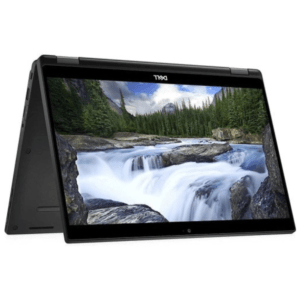
For Graphic Design and Video Editing
Creative professionals may need:
- A powerful processor
- More RAM
- Fast SSD storage
- A high-quality display
- Strong graphics performance
The requirements increase further when working with high-resolution video, 3D applications or large creative projects.
For Gaming
Gaming laptops generally require stronger processors, dedicated graphics and adequate cooling. If gaming is your primary purpose, compare gaming laptops and pay close attention to dedicated graphics performance rather than choosing a laptop simply because it has a high-end processor.
2. Check the Processor
The processor, or CPU, is one of the most important components in a laptop.
Common processor families include Intel Core and AMD Ryzen, while Apple’s Mac computers use Apple silicon. Performance depends not only on the brand but also on the processor generation, model, number of cores and intended workload.
When comparing two laptops, don’t simply ask which brand is better. Look at the specific processor models.
For everyday activities such as browsing, documents, email and video calls, a modern entry-level or mid-range processor may be sufficient.
For demanding applications, programming, content creation and intensive multitasking, you may benefit from a more powerful processor.
Don’t Focus Only on Processor Names
A newer mid-range processor can sometimes be a better choice than an older high-end processor.
When comparing laptops, look at the complete specification rather than assuming that a higher number automatically means better performance.
3. Check the RAM
RAM affects how well your laptop handles multiple applications and tasks at the same time.
Common laptop configurations include:
- 8GB RAM – Suitable for many basic and everyday tasks.
- 16GB RAM – A good choice for heavier multitasking and many professional workloads.
- 32GB RAM or more – Useful for demanding creative, technical and professional applications.
If you frequently keep many browser tabs open while running applications such as spreadsheets, communication tools and other software, additional RAM can improve the overall experience.
For many buyers, 16GB is a practical target if the budget allows it, particularly when you want your laptop to remain useful for several years.
4. Check the Storage Type and Capacity
Storage determines how much data your laptop can hold, including applications, documents, photos, videos and games.
You will commonly encounter SSD and HDD storage.
SSD
Solid-state drives are generally faster, quieter and more responsive than traditional hard disk drives.
An SSD can help your laptop:
- Start up faster
- Open applications more quickly
- Transfer files faster
- Feel more responsive during everyday use
HDD
Traditional hard disk drives can provide large storage capacities at a lower cost, but they are generally slower than SSDs.
For a modern laptop, an SSD is usually the preferable choice for the main operating system and applications.
How Much Storage Do You Need?
256GB: Suitable for lighter users who mainly store documents and use cloud storage.
512GB: A good balance for many students, professionals and general users.
1TB or more: Useful for gamers, video editors, photographers and people who store large files locally.
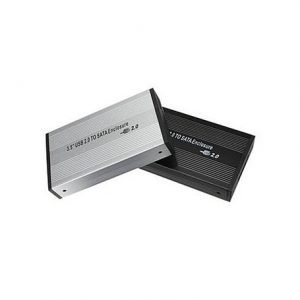
You can also expand storage externally when necessary. If you need additional storage devices, explore FGEE’s relevant storage options when comparing your laptop setup.
5. Look at the Display
You may spend hours looking at your laptop screen, so display quality matters.
Consider:
Screen Size
Common sizes include 13-inch, 14-inch, 15.6-inch and larger displays.
A smaller laptop can be easier to carry, while a larger screen can provide more workspace.
A 14-inch laptop can offer a useful balance between portability and screen space.
Resolution
A higher resolution generally provides a sharper image.
Full HD is common on many laptops and can be sufficient for everyday productivity and entertainment.
Creative professionals may have additional requirements depending on their workflow.
Panel Quality
Display panel technology affects viewing angles, colours, contrast and overall image quality.
If you work with photographs, video or design, colour accuracy should be an important consideration.
Brightness
If you regularly work outdoors or in brightly lit rooms, a brighter display can make the screen easier to see.
6. Check Battery Life
Battery life is especially important if you frequently work away from a power outlet.
Manufacturers may advertise battery-life estimates under specific test conditions, so actual results can vary depending on:
- Screen brightness
- Applications being used
- Wi-Fi usage
- Video playback
- Gaming
- Background processes
- Power settings
A laptop used for basic documents and browsing may last much longer on battery than one running demanding games or video-editing software.
If portability is important to you, look beyond the manufacturer’s headline battery figure and consider independent reviews where available.
7. Consider the Graphics
Graphics processing affects how your laptop handles visual workloads.
There are two broad categories to consider:
Integrated Graphics
Integrated graphics are built into or closely integrated with the processor.
They can be sufficient for:
- Web browsing
- Office work
- Streaming
- Basic photo editing
- Everyday applications
Dedicated Graphics
Dedicated graphics cards have their own processing resources and are designed for more demanding graphical workloads.
They are particularly useful for:
- Gaming
- 3D applications
- Professional video editing
- 3D rendering
- Some creative applications
If you’re looking for a laptop specifically for gaming, compare available gaming laptops and pay close attention to the graphics card rather than focusing only on the CPU.
8. Check the Laptop’s Weight and Build Quality
A laptop’s physical design matters, particularly if you carry it to school, work or meetings.
Before buying, consider:
- Weight
- Thickness
- Materials
- Hinge quality
- Keyboard quality
- Trackpad
- Overall construction
A lightweight laptop can be more convenient for daily travel, while a larger performance laptop may prioritise cooling and performance over portability.
Also consider how comfortable the keyboard is. If you type for several hours every day, keyboard quality should not be an afterthought.
9. Check the Ports and Connectivity
Don’t buy a laptop only to discover that it lacks the ports you need.
Check whether the laptop includes:
- USB-A
- USB-C
- HDMI
- Headphone jack
- SD or microSD card reader
- Ethernet, where required
Also check wireless connectivity such as Wi-Fi and Bluetooth.
Think about the devices you already use. If you regularly connect an external monitor, projector, flash drive, external storage or other peripherals, make sure the laptop supports them.
10. Choose the Right Operating System
The operating system affects the software you can use and how you interact with your laptop.
Windows
Windows laptops are available across a wide range of prices and specifications. They are suitable for many students, professionals, businesses and gamers.
macOS
Mac laptops use Apple’s operating system and are popular among users who value Apple’s hardware and software ecosystem. They can be particularly attractive to some creative professionals.
ChromeOS
Chromebooks use Google’s ChromeOS and are designed around web-based applications and cloud services. They can be suitable for users with relatively simple computing requirements.
Choose an operating system based on the software you use, your preferred ecosystem and your budget.
11. Check the Laptop’s Condition
If you are buying a new laptop, confirm that the product is genuinely new and check the packaging and included accessories.
If you’re considering a refurbished or used laptop, perform additional checks.
Inspect:
- Screen for dead pixels or damage
- Keyboard
- Trackpad
- USB and other ports
- Charger
- Battery health
- Hinges
- Body for cracks or dents
- Webcam
- Speakers
- Wi-Fi and Bluetooth
For used devices, ask about the laptop’s history and confirm exactly what is included before completing the purchase.
12. Compare the Laptop Price in Kenya
Price is important, but it should not be the only factor.
Two laptops may have similar prices but significantly different specifications.
When comparing prices, consider:
- Processor
- RAM
- Storage
- Graphics
- Display
- Battery
- Build quality
- Warranty
- Included accessories
- After-sales support
A slightly more expensive laptop may provide better long-term value if it has substantially better specifications or a stronger warranty.
Likewise, buying the most expensive laptop available does not guarantee that it is the right choice for your needs.
13. Check the Warranty and Seller Reputation
A laptop is a significant purchase, so consider what happens if something goes wrong after you buy it.
Before paying, check:
- Warranty duration
- What the warranty covers
- Where repairs are handled
- Return or replacement terms
- Availability of support
- Whether the charger and other accessories are included
Buying from an established technology retailer can give you greater confidence that you have somewhere to turn if you encounter a problem.
Laptop Specifications: What Should You Look For?
The ideal specification depends on what you plan to do with your laptop.
| User Type | Processor | RAM | Storage | Graphics |
|---|---|---|---|---|
| Student | Modern entry-level or mid-range CPU | 8GB–16GB | 256GB–512GB SSD | Integrated |
| Office user | Mid-range CPU | 8GB–16GB | 512GB SSD | Integrated |
| Professional | Mid-range to high-performance CPU | 16GB+ | 512GB–1TB SSD | Integrated or dedicated |
| Designer/Editor | High-performance CPU | 16GB–32GB+ | 1TB SSD or more | Dedicated where required |
| Gamer | Performance CPU | 16GB+ | 512GB–1TB+ SSD | Dedicated GPU |
These are general guidelines rather than strict requirements. The right configuration depends on the applications you use and how demanding your workload is.
Common Mistakes to Avoid When Buying a Laptop
Choosing Based Only on Price
The cheapest laptop may not offer the performance or longevity you need. Compare the complete specification before deciding.
Buying Too Little RAM
If you regularly multitask, insufficient RAM can become frustrating. Consider your future needs as well as your current requirements.
Ignoring Storage Type
A large-capacity HDD is not necessarily a better choice than a smaller, faster SSD.
Focusing Only on the Processor
The CPU is important, but performance also depends on RAM, storage, graphics, cooling and other components.
Forgetting About Ports
Check your connectivity requirements before buying.
Buying a Gaming Laptop for Basic Tasks
Gaming laptops can provide excellent performance, but they can also be heavier and more expensive than necessary for simple office or school work.
Ignoring the Warranty
A good warranty can provide valuable protection for an expensive electronic device.
Not Checking the Laptop’s Condition
If you’re buying a used or refurbished device, inspect the physical condition and test the key components before purchasing.
How Much Should You Spend on a Laptop in Kenya?
There is no universal laptop budget because prices vary according to brand, specifications, condition and intended use.
Instead of deciding on a price first, identify your minimum requirements.
For example, a student who needs a laptop for documents, browsing and online classes may have very different requirements from a video editor or gamer.
Once you know the specifications you need, compare laptops within your budget and look for the best combination of performance, reliability and warranty.
This approach can help prevent you from paying for features you don’t need or choosing a laptop that is too underpowered for your work.
Should You Buy a New or Refurbished Laptop?
Both options can have advantages.
A new laptop provides the benefit of being unused and typically comes with manufacturer or retailer warranty coverage.
A refurbished laptop can offer an opportunity to access higher specifications at a lower price, but the condition, refurbishment quality and warranty can vary.
If you choose a refurbished device, ask about:
- Battery condition
- Cosmetic condition
- Testing performed
- Warranty
- Return policy
- Original or compatible accessories
The key is to understand exactly what you’re purchasing.
What Is the Best Laptop for Students in Kenya?
The best student laptop depends on the student’s course and workload.
For general assignments, research, presentations and online learning, a lightweight laptop with an SSD, adequate RAM and good battery life may be sufficient.
Students studying computer science, engineering, architecture, design or other specialised subjects may need more powerful hardware to run demanding software.
Instead of buying a laptop based solely on what another student uses, check the software requirements for your course.
What Is the Best Laptop for Business in Kenya?
A good business laptop should provide reliable performance, comfortable input devices, good battery life and the connectivity required for your work.
If you travel frequently, portability and battery life may be priorities. If you work primarily from an office, screen size and connectivity may matter more.
Security features can also be important when handling sensitive business information.
Things to Check Before Buying a Laptop in Kenya
Before purchasing a laptop, ask yourself:
- What will I use the laptop for?
- Is the processor powerful enough for my applications?
- Is the RAM sufficient?
- Does it have an SSD?
- Is the storage capacity enough?
- Is the display suitable for my work?
- Will the battery last long enough?
- Do I need dedicated graphics?
- Is the laptop comfortable to carry?
- Does it have the ports I need?
- Is the operating system compatible with my software?
- Is the laptop new, refurbished or used?
- What warranty is included?
- Is the seller reputable?
- Does the price provide good value for the specifications?
Make an Informed Laptop Purchase in Kenya
Choosing a laptop becomes much easier when you focus on your actual needs rather than simply looking for the most powerful or most expensive model.
Start with your intended use, then compare the processor, RAM, storage, display, graphics, battery life, portability and connectivity. Finally, consider the warranty, seller reputation and overall value for money.
Whether you’re looking for a laptop for university, business, remote work, creative projects or gaming, taking the time to compare specifications can help you make a more confident decision.
When you’re ready to explore your options, browse FGEE’s laptop range and compare available models according to the specifications and features that matter most to you.
A good laptop is not necessarily the one with the highest specifications. It is the one that gives you the right performance, features and reliability for the way you actually work, study or play.