
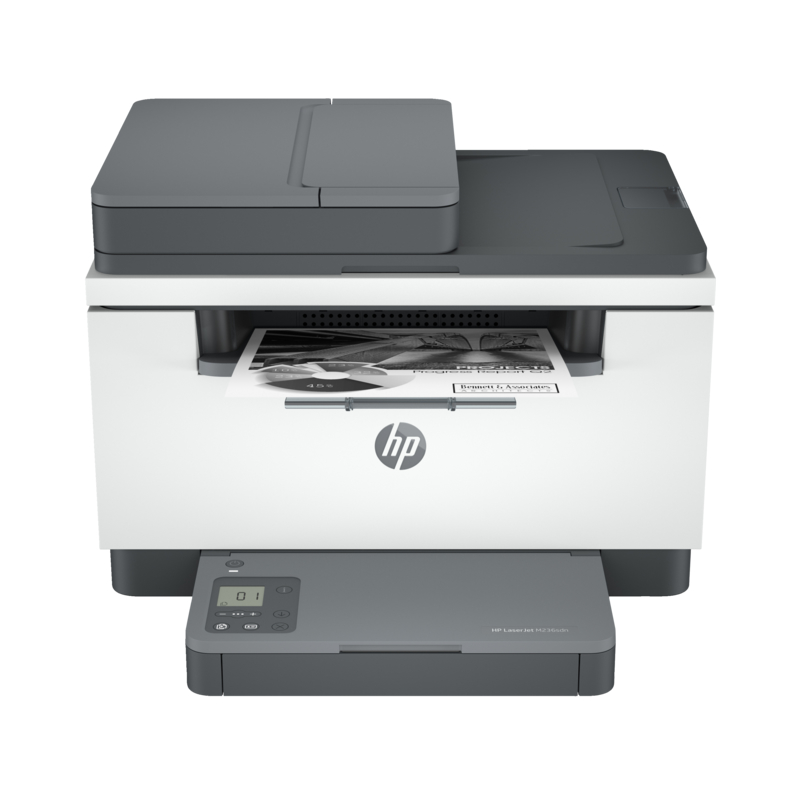
How to Reduce Printing Costs for Your Business
Printing remains an important part of daily operations for many businesses. From invoices and contracts to reports, receipts, presentations, and internal documents, companies can quickly accumulate significant printing expenses. Knowing how to reduce printing costs for your business can help control operational expenses, improve resource efficiency, and prevent unnecessary spending on paper, ink, toner, and printer maintenance.
However, the true cost of printing goes beyond paper and ink. Businesses also pay for toner, printer maintenance, electricity, equipment replacement, staff time, and the storage and management of printed documents.
The most effective way to reduce printing costs for your business is to combine print monitoring, digital workflows, efficient printing practices, appropriate equipment, and regular maintenance. If you’re looking to optimize your printing, you can work with a trusted provider like FGEE. They help you identify printing solutions that fit your operational needs, volume, and long-term costs.
Rather than simply buying the cheapest printer or reducing the number of documents printed, FGEE can help businesses take a more strategic approach to their printing environment. Choosing the right equipment, using consumables efficiently, maintaining printers properly, and improving print management can all contribute to lower operating costs and more efficient business processes.
With the right printing solutions from FGEE, businesses can reduce avoidable printing expenses while maintaining the reliability and quality they need for their day-to-day operations.
What Are Business Printing Costs?
Business printing costs include all expenses associated with producing and managing printed documents.
These may include:
- Paper and other printing materials
- Ink and toner
- Printer maintenance and repairs
- Replacement parts and consumables
- Electricity
- Printer purchases and equipment upgrades
- Outsourced printing services
- Employee time spent printing, sorting, and managing documents
- Costs associated with misprints and discarded documents
- Document storage and management
For businesses with multiple departments or employees, small amounts of unnecessary printing can become a substantial expense over time.
This is why reducing printing costs should be approached as part of business cost management and operational efficiency, rather than simply trying to use less paper.
How to Reduce Printing Costs for Your Business
1. Audit Your Current Printing Usage
Before changing your printing practices, determine how much your business is actually spending.
Review:
- The number of pages printed each month
- Black-and-white versus colour printing
- Paper consumption
- Ink and toner purchases
- Printer maintenance expenses
- The number of printers in use
- Which departments print the most
- The types of documents being printed
A printing audit can reveal inefficient habits that may otherwise go unnoticed.
For example, a business may discover that employees regularly print documents that could easily be shared digitally or that colour printing is being used for documents that do not require it.
Once you understand your current usage, it becomes easier to identify where savings can be made.
2. Encourage Digital Document Workflows
One of the simplest ways to reduce printing costs is to avoid unnecessary printing altogether.
Businesses can use digital alternatives for documents that do not need to exist physically. Examples include:
- Digital invoices
- Electronic contracts
- Cloud-based reports
- Digital meeting materials
- Online forms
- Email communication
- Electronic approvals
- Digital document storage
Instead of automatically printing a document, employees should consider whether it genuinely needs to be printed.
Digital workflows can also reduce paper storage requirements and make documents easier to find, share, and manage.
3. Use Duplex Printing
Duplex printing allows a printer to print on both sides of a sheet of paper.
For suitable documents, this can significantly reduce paper consumption because two pages can be printed using one sheet.
Businesses can make duplex printing the default setting for:
- Internal reports
- Meeting documents
- Drafts
- Training materials
- Internal communications
Not every document should necessarily be printed double-sided, particularly documents that require specific formatting or professional presentation. However, using duplex printing for routine internal documents can reduce paper consumption without significantly affecting productivity.
4. Reduce Unnecessary Colour Printing
Colour printing generally costs more than black-and-white printing because it requires multiple colour consumables.
Businesses should therefore determine which documents actually require colour.
For example, internal memos, text-heavy reports, drafts, and routine documents may not need colour printing. Employees can use black-and-white printing for these documents while reserving colour for materials where it adds genuine value.
A simple printing policy that encourages black-and-white printing by default can help control toner consumption.
5. Choose the Right Print Quality
Not every document needs to be printed at the highest available quality.
High-quality printing can consume more ink or toner and may increase printing costs unnecessarily.
Businesses can use appropriate print-quality settings based on the purpose of the document:
- Draft quality: Internal documents and working copies
- Standard quality: Routine business documents
- High quality: Customer-facing documents, marketing materials, and presentations
Matching print quality to the purpose of the document can help businesses use consumables more efficiently.
6. Set Clear Printing Policies
A business printing policy can help employees understand when and how printing should be used.
The policy may cover:
- When documents should be printed
- When digital alternatives should be used
- Default black-and-white printing
- Duplex printing
- Colour printing approval where appropriate
- Personal printing limits
- Secure printing procedures
- Document disposal
The objective should not be to prevent employees from printing necessary documents. Instead, the policy should encourage responsible and purposeful printing.
7. Monitor Printing by Department or User
Businesses with significant printing volumes can benefit from monitoring who is printing and how much.
Print monitoring can help identify:
- High-volume users
- Departments with unusually high printing activity
- Excessive colour printing
- Repeated printing
- Unnecessary print jobs
- Changes in printing patterns
This information can help management make informed decisions about printing policies and equipment.
It can also make employees more conscious of their printing habits.
8. Consolidate Printers Where Practical
Having too many printers can increase the overall cost of printing.
Every additional printer can require:
- Consumables
- Maintenance
- Repairs
- Electricity
- Replacement parts
- Administrative attention
Instead of giving every employee or small department a separate printer, businesses can evaluate whether strategically placed shared printers or multifunction devices would be more efficient.
However, printer consolidation should be based on workflow requirements. A printer that is too far from employees or unable to handle the required workload can reduce productivity.
The goal is to find the right balance between accessibility, productivity, and cost.
9. Maintain Printers Regularly
Poorly maintained printers can become more expensive to operate.
Maintenance issues can result in:
- Paper jams
- Misprints
- Poor print quality
- Wasted toner
- Repeated print jobs
- Equipment downtime
- Expensive repairs
Regular maintenance helps keep printing equipment operating efficiently and can extend the useful life of printers.
Businesses should follow the manufacturer’s maintenance recommendations and address recurring problems before they become major equipment failures.
10. Choose Printers Based on Total Cost of Ownership
The cheapest printer to purchase is not necessarily the cheapest printer to operate.
When selecting printing equipment, businesses should consider total cost of ownership rather than only the initial purchase price.
Businesses can also consider energy efficiency when evaluating printing equipment. ENERGY STAR’s guidance on imaging equipment provides information on selecting efficient printers, copiers, scanners, and multifunction devices.
Important factors include:
- Purchase price
- Cost of ink or toner
- Expected page yield
- Maintenance requirements
- Energy consumption
- Print speed
- Expected workload
- Reliability
- Replacement parts
- Warranty and support
For example, a printer with a lower purchase price but expensive toner may cost more over several years than a more expensive printer with lower operating costs.
Businesses should therefore evaluate equipment according to their actual printing volume and long-term requirements.
11. Avoid Printing More Copies Than Necessary
Duplicate printing is another source of unnecessary expense.
Before printing, employees should verify:
- The number of copies required
- The correct pages are selected
- The document is properly formatted
- The correct printer is selected
- The print preview looks correct
Using print preview can prevent common mistakes such as printing blank pages, incorrect sections, or documents with formatting problems.
A few seconds of checking before printing can prevent wasted paper and toner.
12. Use Print Management Solutions
As a business grows, managing printers, consumables, maintenance, and employee printing manually can become increasingly difficult. Print management solutions help businesses gain better control over their entire printing environment while identifying opportunities to reduce unnecessary costs.
A professional print management approach can help businesses:
- Monitor printing activity across departments
- Track colour and black-and-white printing
- Identify high-volume users
- Control unnecessary print jobs
- Manage multiple printers and devices
- Monitor consumable usage
- Improve printer utilization
- Secure sensitive documents
- Generate printing reports
- Identify opportunities to reduce operating costs
FGEE can help businesses implement more efficient printing solutions based on their printing volume, workflow, equipment requirements, and operational needs. Instead of managing printers and printing expenses reactively, businesses can take a more structured approach to controlling their print environment.
13. Protect Against Abandoned Print Jobs
Documents that are printed but never collected represent wasted resources.
Employees may accidentally send documents to the wrong printer, print multiple copies, or forget to collect documents.
Secure or controlled printing can reduce this problem by requiring users to authenticate before a document is released.
This approach can be particularly useful for businesses handling confidential documents because it combines printing cost control with document security.
14. Compare In-House and Outsourced Printing
Some businesses print everything internally, while others outsource certain printing jobs.
Neither approach is automatically cheaper.
Businesses should compare the full cost of internal printing with the cost of outsourcing specific requirements.
For routine documents, internal printing may be practical. For high-volume or specialized materials, outsourcing may sometimes be more cost-effective because professional printing providers can operate specialized equipment at scale.
The right decision depends on printing volume, document requirements, turnaround time, equipment costs, and internal resources.
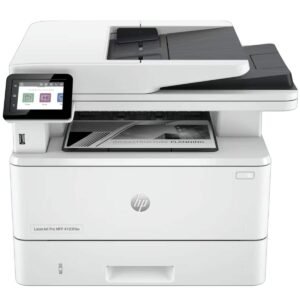
Why Reducing Printing Costs Matters
Reducing printing costs can provide benefits beyond saving money on paper and toner.
Lower Operating Expenses
Reducing unnecessary printing can lower spending on consumables, maintenance, and equipment.
Better Resource Management
Monitoring printing helps businesses understand how resources are being used and where inefficiencies exist.
Improved Productivity
Digital workflows can reduce the time employees spend printing, filing, searching for, and physically distributing documents.
Better Document Security
Controlled printing and digital document management can reduce the risk of sensitive information being left unattended.
Reduced Paper Waste
Using fewer printed documents can reduce unnecessary paper consumption and waste.
Common Mistakes That Increase Business Printing Costs
Businesses can unintentionally increase printing expenses through seemingly small decisions.
Common mistakes include:
- Buying printers based only on purchase price
- Printing documents by default
- Using colour printing unnecessarily
- Ignoring printer maintenance
- Keeping too many printers
- Failing to monitor print volumes
- Printing multiple copies unnecessarily
- Using inappropriate print settings
- Allowing outdated equipment to remain in service
- Failing to establish clear printing policies
Identifying these problems is an important first step toward reducing printing expenses.
How to Create a Printing Cost Reduction Strategy
Businesses do not need to change everything at once.
A practical approach is to follow a structured process.
Step 1: Measure
Determine how much the business currently spends on printing.
Step 2: Identify Waste
Look for unnecessary colour printing, duplicate documents, excessive printing, misprints, and unused print jobs.
Step 3: Introduce Better Practices
Implement duplex printing, digital workflows, appropriate print-quality settings, and clear printing policies.
Step 4: Improve Equipment
Review whether existing printers are suitable for the company’s workload and operating costs.
Step 5: Monitor Results
Track printing volumes and expenses after implementing changes.
Step 6: Continuously Optimize
Printing requirements change as businesses grow. Regular reviews can help ensure that printing processes remain efficient.
How Much Can a Business Save by Reducing Printing?
The amount a business can save depends on its printing volume, equipment, consumables, document workflows, and existing printing practices.
A business with low printing volumes may see modest savings, while organizations producing thousands of pages every month can potentially achieve much greater reductions.
The most important point is to measure current costs before estimating potential savings.
For example, reducing paper consumption will have limited financial impact if paper represents only a small portion of the company’s overall printing expenditure. In contrast, reducing expensive colour printing, unnecessary print jobs, or high toner consumption may produce more meaningful savings.
Frequently Asked Questions On How To Reduce Printing Costs
How can a business reduce printing costs?
Businesses can reduce printing costs by minimizing unnecessary printing, using duplex and black-and-white printing, monitoring print volumes, maintaining equipment, improving digital workflows, and selecting printers based on their long-term operating costs.
What is the biggest printing expense for businesses?
The biggest printing expense varies by business. Paper, ink and toner, equipment maintenance, outsourced printing, and printer replacement can all contribute significantly to total costs. A printing audit can help identify the largest expenses.
Does duplex printing reduce printing costs?
Yes. Duplex printing reduces the amount of paper required for documents that can be printed on both sides. It can therefore help businesses lower paper consumption and related expenses.
How can print management reduce business expenses?
Print management can provide visibility into printing activity, help control unnecessary printing, monitor colour usage, manage users or departments, and identify areas where printing resources are being wasted.
Is black-and-white printing cheaper than colour printing?
Generally, yes. Black-and-white printing typically uses fewer consumables than colour printing. Businesses can reduce costs by reserving colour printing for documents where it is necessary.
Should a business replace an old printer?
Not necessarily. A business should consider replacing an old printer when maintenance costs, downtime, poor efficiency, consumable costs, or limited functionality make continued use more expensive than upgrading.
Reduce Your Business Printing Costs with FGEE
Printing is an essential business function, but unnecessary printing expenses can quietly increase operational costs. By combining smarter printing practices with the right equipment and professional support, businesses can improve efficiency while reducing avoidable expenditure.
FGEE provides printing and business technology solutions designed to help organizations manage their printing needs more effectively. Whether you need the right printing equipment, ongoing support, or a more efficient printing setup, working with an experienced provider can help you make better long-term decisions.
Looking for ways to reduce your business printing costs? Contact FGEE to discuss a printing solution suited to your business.



Comments (0)