
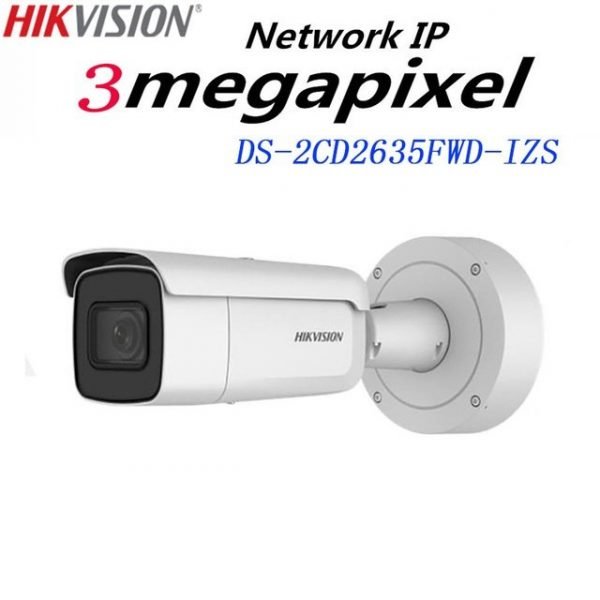
How Many CCTV Cameras Does Your Business Need?
Knowing how many CCTV cameras does your business need is an important part of planning an effective security system. Installing too few cameras can leave entrances, storage areas, parking spaces or other vulnerable locations unmonitored. Installing more cameras than necessary, on the other hand, can increase equipment, installation and storage costs.
There is no single number of CCTV cameras that works for every business. The right number depends on the size and layout of your premises, the areas that need monitoring, security risks, camera field of view, lighting conditions and the level of detail you need from recorded footage.
For businesses in Kenya, a good CCTV system should therefore be planned around the actual property rather than simply choosing a standard number of cameras.
What Determines How Many CCTV Cameras Your Business Needs?
Several factors should be considered before deciding how many cameras to install.
1. Size of the Business Premises
The larger your premises, the more cameras you may need to achieve useful coverage.
A small retail shop may only need cameras covering the entrance, sales area, cashier and storage area. A warehouse, office building or large commercial compound may require significantly more cameras.
However, property size alone does not determine the number. The layout and areas of importance also matter.
2. Number of Entrances and Exits
Entrances and exits are among the most important locations to monitor.
Consider installing cameras where customers, employees, suppliers and vehicles enter or leave the premises.
For example, a business may need cameras covering:
- Main entrance
- Back entrance
- Emergency exits
- Delivery entrance
- Vehicle gates
- Staff entrances
Each entrance does not necessarily require only one camera. The camera should be positioned so that it provides useful footage of the area rather than simply pointing at the doorway.
3. Parking Areas and Outdoor Spaces
Businesses with parking areas, compounds or outdoor storage may need additional outdoor cameras.
Outdoor cameras can be used to monitor:
- Parking spaces
- Vehicle entrances
- Perimeter walls
- Gates
- Loading areas
- Outdoor storage
- Building surroundings
The required number depends on the size of the area and the field of view of the selected cameras.
Businesses should also choose cameras designed for the environment. Outdoor CCTV cameras are generally designed to withstand conditions such as rain, dust and sunlight, while indoor cameras are intended primarily for protected environments.
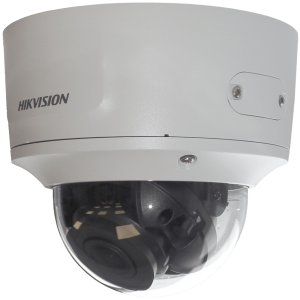
4. Areas Where Valuable Items Are Stored
Businesses should identify locations containing valuable stock, equipment, documents or cash.
These may include:
- Stockrooms
- Warehouses
- Server rooms
- Cash-handling areas
- Equipment rooms
- High-value product displays
- Loading and receiving areas
These locations may require dedicated cameras because they can have different security requirements from general areas of the business.
5. Blind Spots
Blind spots are areas that cannot be properly seen by the existing cameras.
Before installation, businesses should examine the entire premises and determine whether walls, shelves, pillars, vehicles, doors or other structures could block the camera view.
Adding another camera may sometimes be more effective than trying to make one camera cover an excessively large area.
How Many CCTV Cameras Does a Small Business Need?
A small business may require anywhere from a few cameras to several cameras depending on its layout.
For example, a small shop could potentially require cameras covering:
- Main entrance
- Sales floor
- Cashier area
- Stockroom
- Rear or secondary entrance
This does not mean every small shop needs exactly five cameras. A compact shop with a suitable wide-angle camera may require fewer, while a larger shop with multiple entrances and separated rooms may need more.
For businesses specifically looking at CCTV for smaller retail spaces, FGEE’s guide on choosing the best CCTV for small shops can provide additional guidance.
How Many CCTV Cameras Does an Office Need?
An office may need cameras at:
- Main entrance
- Reception
- Corridors
- Staircases
- Parking areas
- Server or equipment rooms
- Secondary entrances
- Other restricted areas
A small office with a single entrance and open layout may need fewer cameras than a multi-floor office building.
The goal should be to monitor important access points and areas where security incidents are more likely to occur without unnecessarily recording every part of the building.
How Many CCTV Cameras Does a Warehouse Need?
Warehouses often require more extensive CCTV coverage because they can contain large open spaces, stock, loading areas and multiple access points.
A warehouse CCTV system may need to cover:
- Main entrances
- Loading bays
- Storage aisles
- Receiving areas
- Dispatch areas
- Staff entrances
- Parking
- Perimeter areas
- High-value stock locations
Large warehouses may also benefit from different camera types for different areas. For example, fixed cameras can monitor specific zones while PTZ cameras may provide additional coverage across larger areas.
How Many CCTV Cameras Does a Restaurant Need?
Restaurants can have several areas that require surveillance, including:
- Main entrance
- Dining area
- Cashier or payment area
- Kitchen entrance
- Storage areas
- Delivery entrance
- Parking or outdoor areas
Camera placement should consider both security and the practical layout of the restaurant.
The objective is to monitor important access points and business areas without unnecessarily placing cameras in locations where surveillance is inappropriate.
How Many Cameras Should Be Installed Outside a Business?
There is no fixed number of outdoor cameras required for every business.
Start by identifying the areas that need protection, such as:
- Main gate
- Side entrances
- Parking
- Perimeter walls
- Loading zones
- Outdoor storage
- Building entrances
The size of each area and the camera’s field of view then determine how many cameras are required.
A large compound may need several cameras positioned around the perimeter, while a small storefront may only need one or two outdoor cameras.
Why Camera Placement Matters More Than Camera Count
Installing more cameras does not automatically create a better CCTV system.
For example, six poorly positioned cameras can provide less useful coverage than four cameras positioned strategically.
Good camera placement should consider:
- Field of view
- Camera height
- Lighting
- Entry and exit points
- Potential blind spots
- Distance from the area being monitored
- Obstacles
- Nighttime visibility
- Camera accessibility
- Risk of tampering
FGEE’s guide to indoor vs outdoor CCTV cameras explains why the installation environment matters when selecting and positioning surveillance equipment.
Should You Use Indoor and Outdoor CCTV Cameras?
Many businesses need a combination of indoor and outdoor cameras.
Indoor cameras can monitor areas such as:
- Offices
- Shops
- Reception areas
- Corridors
- Warehouses
- Storage rooms
Outdoor cameras can monitor:
- Gates
- Parking
- Compounds
- Perimeters
- Building exteriors
- Loading areas
The appropriate combination depends on the business premises and security requirements.
Outdoor cameras should be selected according to the conditions in which they will operate. FGEE notes that outdoor models are designed for exposure to environmental conditions, while indoor models are primarily intended for protected spaces.
Consider the CCTV Camera’s Field of View
Field of view is one of the most important considerations when calculating the number of cameras required.
A camera with a suitable viewing angle may cover a larger area than a camera with a narrower field of view.
However, wider coverage should not automatically be treated as better. A camera covering a very large area may provide less detail when you need to identify a person, vehicle or specific activity.
The right balance depends on what the business needs the camera to capture.
Consider Image Quality
The required image quality also affects camera selection and placement.
If a business only needs general monitoring, a different camera configuration may be appropriate compared with an area where identifying faces, vehicles, products or other details is important.
FGEE’s CCTV buying guide highlights resolution, night vision, storage, motion detection and weather resistance as important factors to consider when selecting CCTV equipment.
Don’t Forget Night-Time Coverage
A CCTV system should provide useful surveillance during the hours when the business is closed as well as during the day.
Consider whether each camera location has:
- Adequate lighting
- Night vision
- Suitable infrared coverage
- Street or security lighting
- Potential glare from lights or vehicles
Outdoor areas such as gates, parking spaces and compounds can be particularly important at night.
How Many CCTV Cameras Are Enough?
The right number of cameras is the number required to provide meaningful coverage of the areas that matter most to your business.
Instead of asking:
“What is the standard number of cameras for my business?”
ask:
“Which areas need to be monitored, and how many cameras are required to cover those areas effectively?”
This approach makes it easier to create a CCTV system that matches your actual security needs.
A Simple Way to Calculate Your CCTV Requirements
Before contacting a CCTV supplier, create a basic list of areas that need monitoring.
Step 1: List all entrances
Write down every entrance, exit and gate.
Step 2: Identify valuable assets
List stockrooms, cash areas, equipment rooms and other locations containing valuable property.
Step 3: Identify outdoor areas
Include parking, compounds, loading areas, gates and perimeter sections.
Step 4: Identify high-risk areas
Consider locations that are more vulnerable to theft, unauthorized access or other security incidents.
Step 5: Check for blind spots
Look at the property layout and identify areas that could remain hidden from the proposed camera positions.
Step 6: Choose suitable camera types
Determine whether each location requires an indoor, outdoor, dome, bullet, PTZ, wireless or IP camera.
Step 7: Plan storage
The number of cameras also affects the amount of footage that needs to be stored.
More cameras, higher resolutions and longer retention periods can increase storage requirements.
Example CCTV Setup for Different Businesses
The following examples are only starting points. The actual number should be determined by the property layout and required coverage.
| Business type | Possible starting coverage |
|---|---|
| Small shop | Entrance, sales area, cashier, stockroom |
| Small office | Entrance, reception, corridor, key rooms |
| Restaurant | Entrance, dining area, cashier, storage, delivery area |
| Warehouse | Entrances, loading area, storage areas, perimeter |
| Large commercial premises | Multiple entrances, internal areas, parking and perimeter |
A professional site assessment can determine whether these areas require one camera each or whether some locations need multiple cameras.
Why Professional CCTV Installation Matters
Choosing the number of cameras is only the first step.
Professional installation can help determine:
- Where cameras should be positioned
- Which camera type is suitable for each location
- How to reduce blind spots
- Where cables should run
- What recording equipment is required
- How much storage is needed
- How cameras should be configured
- How the system can be expanded in the future
A poorly positioned camera can leave an important area outside its field of view even when the business has invested in good equipment.
CCTV Cameras from FGEE
FGEE provides CCTV and security solutions for businesses looking to monitor their premises and protect important areas.
The company offers CCTV options for different environments, including shops, offices, warehouses, homes and other commercial properties.
Rather than choosing cameras based only on quantity or price, businesses should consider the size of the premises, areas requiring surveillance, camera specifications, recording requirements and future expansion.
FGEE’s existing CCTV buying guide provides additional information on camera types and features that businesses should consider when selecting a surveillance system.
Common Mistakes When Deciding How Many CCTV Cameras You Need
Installing Too Few Cameras
Trying to save money by installing too few cameras can leave important areas unmonitored.
Installing Too Many Cameras
More cameras can increase equipment, installation, network and storage costs without necessarily improving useful coverage.
Ignoring Blind Spots
A camera may appear to cover an area while nearby walls, shelves or other structures block important parts of the view.
Choosing Cameras Without Considering the Environment
Indoor and outdoor locations have different requirements. Outdoor cameras may need appropriate protection against environmental conditions.
Ignoring Night-Time Conditions
A camera that produces useful footage during the day may not provide the same results at night if lighting and night vision are not considered.
Forgetting Storage Requirements
Adding cameras also increases the amount of video footage that needs to be recorded and stored.
Frequently Asked Questions On How many CCTV cameras does your business need
How many CCTV cameras does a small business need?
There is no fixed number. A small business may need a few cameras covering its entrance, sales area, cashier, storage area and other important locations. The final number depends on the layout and required coverage.
How many CCTV cameras do I need for a shop?
A small shop may require cameras covering the entrance, sales floor, cashier and stockroom. Additional cameras may be needed for secondary entrances, parking or other areas.
How many CCTV cameras do I need for a warehouse?
Warehouses generally require more extensive coverage because of their size, storage areas, loading zones, entrances and perimeter. The number depends on the warehouse layout and the areas that need monitoring.
Do I need CCTV cameras inside and outside my business?
Many businesses benefit from both indoor and outdoor cameras. Indoor cameras can monitor areas such as offices, shops and storage rooms, while outdoor cameras can cover gates, parking areas and building perimeters.
Is four CCTV cameras enough for a business?
It can be enough for a small premises with a simple layout, but four cameras may not provide sufficient coverage for a larger or more complex property. The required number should be based on the areas that need monitoring rather than a fixed camera count.
Does adding more CCTV cameras make a business more secure?
Not necessarily. Camera placement, image quality, field of view, lighting, recording and system configuration all affect the usefulness of a CCTV system. More cameras can help when they cover genuine gaps, but simply increasing the number does not guarantee better surveillance.
Final Thoughts
So, how many CCTV cameras does your business need?
The answer depends on your premises rather than a universal number. Start by identifying entrances, exits, valuable assets, storage areas, parking spaces, outdoor areas and other locations where surveillance is important.
Then consider camera field of view, image quality, lighting, night vision, storage and potential blind spots.
A properly planned CCTV system should provide meaningful coverage of the areas that matter most without creating unnecessary equipment and installation costs.
If you are planning a CCTV system for your business, FGEE can help you identify suitable cameras and plan a surveillance solution around your premises and security requirements.
Comments (0)