
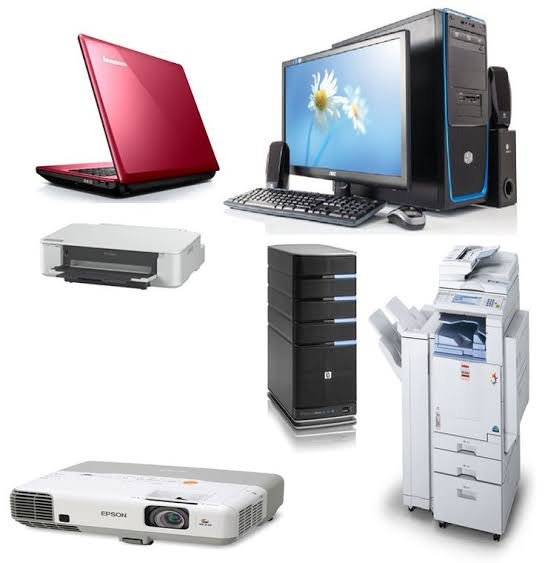
HP and Epson Office Equipment in Kenya: Laptops, Printers, Projectors and All-in-One PCs
Choosing the right office equipment in Kenya can make a significant difference in workplace productivity, communication and daily operations. Whether you are setting up a new office, upgrading existing computers or equipping a training centre, investing in reliable technology helps your team work more efficiently.
Which HP and Epson office equipment should you consider in Kenya? Some practical options include the HP Color LaserJet Pro MFP 4303fdw for multifunction printing, HP OmniBook Flip laptops for flexible computing, Epson CO-W01 and X49 projectors for presentations, and HP All-in-One computers for space-saving desktop workstations.
At FGEE Technology, you can explore computing and office equipment designed for businesses, educational institutions, professionals and home offices.
1. HP Color LaserJet Pro MFP 4303fdw: A Multifunction Printer for Busy Offices
A reliable office printer should do more than produce documents. Businesses often need equipment that can print, scan, copy and fax without requiring separate machines.
The HP Color LaserJet Pro MFP 4303fdw is a multifunction colour laser printer designed for small and medium-sized workgroups.
Its key features include:
- Colour laser printing.
- Print, scan, copy and fax functionality.
- Printing speeds of up to 33 pages per minute.
- Automatic duplex printing.
- Automatic document feeder for scanning multiple pages.
- Ethernet and wireless connectivity.
- Mobile printing support.
This makes it a practical option for offices handling invoices, reports, business documents, marketing materials and other everyday printing requirements.
For businesses that handle frequent printing, choosing the right printer also involves understanding running costs, paper handling and maintenance requirements.
Read our guide on how to choose the right office printer before selecting an office printing solution.
You can also explore the HP Color LaserJet Pro MFP 4303fdw at FGEE.
2. HP OmniBook Flip Core 7: Flexible Computing for Professionals
Modern professionals need computers that support multitasking, online meetings, document preparation and flexible working arrangements.
The HP OmniBook 5 Flip 14-fp0023dx combines an Intel Core 7 processor with a convertible touchscreen design.
Its specifications include:
- Intel Core 7 150U processor.
- 16GB LPDDR5 RAM.
- 512GB PCIe NVMe SSD.
- 14-inch 2K touchscreen display.
- 360-degree convertible hinge.
- Windows 11 Home.
- Integrated Intel graphics.
The convertible design allows users to switch between traditional laptop and tablet-style modes.
When comparing business laptops, it is also worth exploring other brands and configurations available locally. Read our guide to Lenovo laptops in Kenya to discover additional options for professional and business use.
This flexibility makes it useful for professionals who regularly attend meetings, prepare presentations, work with documents or use touchscreen applications.
The 16GB RAM also provides room for handling multiple applications and browser tabs during everyday professional tasks.
Explore the HP OmniBook 5 Flip Core 7 at FGEE.
3. HP OmniBook X Flip Ultra 5: A Modern Laptop for Work and Study
If you want a convertible laptop with modern processing capabilities, the HP OmniBook X Flip 14-fm0013dx is another option worth considering.
It combines an Intel Core Ultra 5 processor with a touchscreen display and a flexible 360-degree design.
Key specifications include:
- Intel Core Ultra 5 226V processor.
- 16GB LPDDR5x RAM.
- 512GB PCIe Gen4 SSD.
- 14-inch 2K IPS touchscreen.
- Intel Arc 130V integrated graphics.
- Intel AI Boost NPU.
- Wi-Fi 6E and Bluetooth 5.3.
- Windows 11 Home.
The laptop’s convertible design makes it suitable for people who move between different working environments.
Its touchscreen is useful for interactive presentations, note-taking and navigating compatible applications. The built-in AI acceleration also supports compatible AI-powered applications.
For students, consultants, business owners and professionals who need a portable workstation, this model offers a combination of performance and flexibility.
Before choosing a laptop, consider factors such as processor generation, RAM, SSD capacity, display quality and battery life. Our guide on things to check before buying a laptop in Kenya explains the important specifications to evaluate before making a purchase.
View the HP OmniBook X Flip Ultra 5 at FGEE.

4. Epson CO-W01 Projector: Presentations and Workplace Collaboration
Projectors remain useful in meeting rooms, classrooms, training centres and conference spaces.
The Epson EpiqVision Flex CO-W01 is designed for users who need a larger display for presentations, learning materials and multimedia content.
Its features include:
- WXGA resolution.
- 3,000 lumens brightness.
- HDMI connectivity.
- USB connectivity.
- 16:10 aspect ratio.
- Projection sizes ranging from 25 to 378 inches.
The large projection capability makes it suitable for displaying slides, spreadsheets, educational content and videos.
Businesses can use it for internal meetings, staff training and client presentations, while educational institutions can use it to display learning materials to larger groups.
When selecting a projector, consider the room size, ambient lighting, projection distance and resolution requirements.
See the Epson EpiqVision Flex CO-W01 projector at FGEE.
5. Epson PowerLite X49: A Projector for Classrooms and Meeting Rooms
For organisations that need a projector for regular presentations, the Epson PowerLite X49 offers another practical option.
It uses 3LCD projection technology and provides 3,600 lumens of colour and white brightness.
Its main specifications include:
- 3,600 lumens brightness.
- XGA native resolution of 1024 × 768.
- 3LCD projection technology.
- HDMI connectivity.
- VGA inputs and output.
- Integrated speaker.
- USB Type-B connectivity.
The Epson X49 can be useful in classrooms, offices and training environments where clear presentation of documents, charts and learning materials is important.
Its multiple connectivity options also make it easier to connect compatible computers and presentation devices.
When comparing the CO-W01 and X49, consider the content you intend to display. The CO-W01 offers a widescreen WXGA format, while the X49 uses the traditional XGA format and provides higher specified brightness.
Explore the Epson PowerLite X49 projector at FGEE.
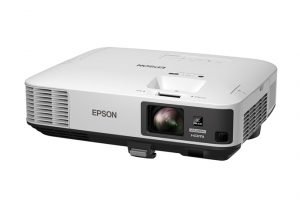
6. HP All-in-One Core Ultra 5: A Space-Saving Desktop Solution
Not every workplace needs a separate desktop tower and monitor.
An all-in-one computer combines the main computer components and display into one unit, helping reduce cable clutter and making workstation organisation easier.
The HP All-in-One 24-cr1090nh comes with:
- Intel Core Ultra 5 processor.
- 8GB RAM.
- 512GB SSD.
- 23.8-inch display.
- Integrated computer design.
It is suitable for reception areas, administrative departments, home offices and general business workstations.
The SSD provides faster system startup and application loading compared with traditional mechanical hard drives.
Its compact design is particularly useful where desk space is limited.
For businesses that need an organised workstation for everyday applications, document processing, browsing and administrative tasks, this HP All-in-One is worth considering.
Explore the HP All-in-One desktop range at FGEE.
7. HP All-in-One Core i5: Everyday Computing for Business and Home
Another option is the HP All-in-One 24-cr0307nh, powered by an Intel Core i5 13th Generation processor.
Its specifications include:
- Intel Core i5 13th Generation processor.
- 8GB RAM.
- 512GB SSD.
- 23.8-inch Full HD display.
- Integrated Intel graphics.
- Space-saving all-in-one design.
This configuration is suitable for everyday office applications, browsing, online meetings, document preparation and educational activities.
The 23.8-inch Full HD screen provides a comfortable viewing area for working with documents and spreadsheets.
It can be considered by businesses equipping reception desks, administrative offices and individual employee workstations.
For buyers comparing the Core i5 and Core Ultra 5 configurations, the choice should depend on the specific applications being used, processor requirements and available budget.
View the HP All-in-One Core i5 at FGEE.
How to Choose the Right Office Equipment in Kenya
Before purchasing office technology, consider how the equipment will be used and the demands of your working environment.
Here are some important factors.
1. Identify your business requirements
Start by identifying the tasks your equipment needs to support.
For example:
- Administrative teams may need reliable computers and multifunction printers.
- Training institutions may require projectors and computers for learning activities.
- Businesses handling large document volumes may need high-speed laser printers.
- Professionals who travel frequently may prefer lightweight convertible laptops.
2. Consider performance and specifications
For computers, compare processor generations, RAM, storage capacity and display quality. If you are still deciding which specifications matter most, read our guide on things to check before buying a laptop in Kenya.
For printers, consider printing speed, monthly volume, duplex functionality and connectivity.
For projectors, pay attention to brightness, resolution and projection distance.
3. Evaluate long-term running costs
The initial purchase price is only one part of the total cost of owning office equipment.
For printers, consider toner or ink costs, maintenance and expected printing volumes.
Our guide on ink tank vs laser printers in Kenya explains the differences between these technologies and helps buyers understand which option may suit their printing needs.
4. Consider maintenance and technical support
Regular maintenance helps keep office equipment operating reliably.
For printers, proper cleaning, using compatible consumables and following manufacturer maintenance recommendations can help reduce avoidable problems.
Read our guide on how to maintain your printer for long-term use.
5. Choose a supplier that understands your requirements
Buying from an established technology supplier makes it easier to compare available equipment and identify suitable solutions.
When sourcing printers, computers and other workplace technology, consider product specifications, warranty information, technical support and delivery arrangements.
You can also read our guide to office equipment suppliers in Kenya to understand what to look for when selecting a supplier.
For additional printer recommendations, see the best multifunctional printers in Kenya and our guide on choosing a printer for a cyber cafe in Kenya.
Where Can You Buy HP and Epson Office Equipment in Kenya?
If you are looking for HP laptops, all-in-one computers, multifunction printers or Epson projectors in Kenya, FGEE Technology provides a range of computing and office equipment options.
Whether you are equipping a new office, upgrading existing workstations, setting up a classroom or improving your business presentation facilities, choosing equipment that matches your requirements is an important investment.
Explore the available products at FGEE Technology and find suitable equipment for your workplace.
Visit www.fgee.co.ke or contact the FGEE team for product availability, specifications and purchasing assistance.
Frequently Asked Questions On Office Equipment In Kenya
Which HP laptops are suitable for business use in Kenya?
HP OmniBook Flip laptops are options worth considering for professionals who need portable computers, multitasking capabilities and touchscreen flexibility. The Core 7 and Core Ultra 5 configurations offer different processor platforms for different workloads.
Which Epson projector is suitable for office presentations?
The Epson CO-W01 offers WXGA resolution and 3,000 lumens brightness, while the Epson PowerLite X49 offers XGA resolution and 3,600 lumens brightness. Your choice should depend on room lighting, screen size and presentation requirements.
What is the difference between an HP All-in-One and a traditional desktop?
An HP All-in-One integrates the computer components into the display, reducing the need for a separate desktop tower. A traditional desktop typically uses a separate system unit and monitor.
Is the HP Color LaserJet Pro MFP 4303fdw suitable for business printing?
Yes. It is a colour multifunction laser printer with printing, scanning, copying and faxing capabilities. Its automatic duplex printing and document feeder make it suitable for offices with regular document workloads.
Where can I buy HP and Epson office equipment in Kenya?
You can explore HP computers, printers, Epson projectors and other technology products through FGEE Technology at fgee.co.ke.

Comments (0)