
How to Maintain Your Printer for Long-Term Use
Whether you own a printer for your home, school, or business, how to maintain your printer for long-term use can extend its lifespan by several years while simultaneously reducing repair costs and improving print quality. Although most printers last between 3–7 years, many office laser units can operate reliably for much longer with consistent care. In this guide, you will learn the best maintenance practices, mistakes to avoid, and when it is time to upgrade or invest in the best multifunctional printers in Kenya. At FGEE, we supply genuine printers, toner cartridges, and maintenance kits, in addition to offering professional servicing across the country.
What Is Printer Maintenance?
Printer maintenance refers to the routine cleaning, inspection, and software updates required to keep your machine operating efficiently. Furthermore, this process involves replacing worn components before they fail. Proper upkeep helps to:
Improve print quality
Reduce paper jams
Prevent ink clogging
Increase device lifespan
Lower maintenance costs
Reduce operational downtime
Think of it like servicing a vehicle; consequently, the better you care for your equipment, the longer it performs reliably.
Why Is Printer Maintenance Important?
Ignoring maintenance often leads to frustrating issues like poor print quality, frequent jams, and expensive repairs. Moreover, negligence can result in wasted ink or toner and a shortened equipment lifespan. Fortunately, routine care ensures your printer delivers consistent performance while minimising unexpected breakdowns.
How to Maintain Your Printer for Long-Term Use: A Guide
1. Clean Your Printer Regularly
Dust, toner residue, and paper particles accumulate inside units over time. Because of this, you should regularly clean your paper trays, rollers, scanner glass, and exterior surfaces. While doing so, use a microfiber cloth and compressed air; however, avoid using excessive water or harsh chemicals.
2. Use Genuine Ink and Toner
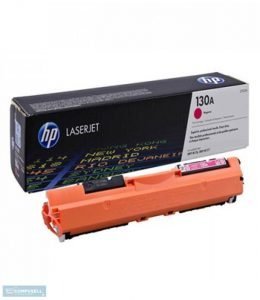
Although low-quality cartridges may seem cheaper initially, they often cause print-head clogging, toner leaks, and internal damage. Therefore, you should always choose genuine or high-quality consumables to protect your hardware. FGEE supplies genuine toner cartridges for leading brands, including HP, Epson, Canon, Brother, Ricoh, and Kyocera.
3. Print Regularly (Especially for Inkjet Printers)
If you rarely use an inkjet printer, ink can easily dry inside the print-head. To prevent this, try to print one colour page every week. Additionally, only run the printer’s cleaning cycle when absolutely necessary, as this keeps ink flowing and prevents nozzle clogs.
4. Use High-Quality Paper
Cheap paper often creates dust and fibers that build up internally. Consequently, you should select paper that matches your printer’s specifications, is stored in a dry place, and remains free from curls or damage.
5. Keep Your Printer in a Suitable Environment
You should avoid placing printers near windows, in direct sunlight, or within humid rooms. Instead, aim for the conditions listed below:
| Factor | Recommendation |
| Temperature | 18–24°C |
| Humidity | 40–60% |
| Surface | Flat and stable |
| Ventilation | Good airflow |
6. Update Printer Drivers and Firmware
Manufacturers frequently release updates to improve performance, fix bugs, and enhance security. Because these updates increase compatibility, you should check for them every few months.
7. Turn Off Your Printer Properly
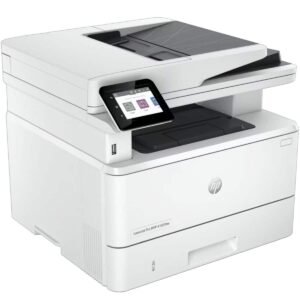
Always avoid unplugging the printer directly. Instead, use the power button and allow the unit to complete its full shutdown process. By doing this, you protect the print-heads and internal components.
8. Don’t Overload the Printer
Every machine has a recommended monthly print volume. If you print far beyond this duty cycle, you will experience faster wear, roller damage, and frequent repairs. Therefore, ensure you choose a printer designed specifically for your workload.
9. Inspect Rollers
Rollers inevitably wear out over time. Signs of trouble include multiple sheets feeding at once, frequent paper jams, or skewed printing. In these instances, replace the worn rollers before they cause damage to other parts.
10. Schedule Professional Servicing
Businesses should prioritise preventive maintenance. For example, homes should be serviced every 12 months, while small offices need attention every 6 months. Busy offices require checks every 3–6 months, and commercial setups need monthly inspections. FGEE provides professional servicing, diagnostics, and repairs to minimize your business downtime.
Printer Maintenance Checklist
| Task | Frequency |
| Clean exterior | Weekly |
| Clean scanner glass | Weekly |
| Remove dust | Monthly |
| Print test page | Weekly |
| Check firmware | Quarterly |
| Inspect rollers | Every 6 months |
| Replace maintenance kit | Manufacturer recommendation |
| Professional servicing | Every 6–12 months |
Final Thoughts on How to Maintain Your Printer for Long-Term Use
Understanding how to maintain your printer for long-term use does not require complex tools. By following simple habits—such as cleaning regularly, using quality consumables, updating firmware, and scheduling professional servicing—you can significantly maximise your investment. If you are looking for reliable printers, genuine consumables, or expert maintenance services in Kenya, FGEE offers end-to-end solutions tailored to homes, schools, and businesses.
Frequently Asked Questions (FAQs)
How often should I clean my printer?
Light cleaning should be done monthly, while professional servicing is recommended every 6–12 months depending on your specific usage.
Can maintenance increase lifespan?
Yes. Regular care reduces wear and prevents breakdowns, effectively extending a printer’s life well beyond its standard expectancy.
Should I leave my printer on all the time?
For most users, it is better to turn the printer off using the power button when it will not be used for long periods to protect internal components.
Why does my printer keep jamming?
Frequent jams are often caused by dirty rollers, damaged paper, or using media that does not meet the printer’s specifications.
Do you have a specific printer model you would like advice on maintaining today?

Comments (0)