
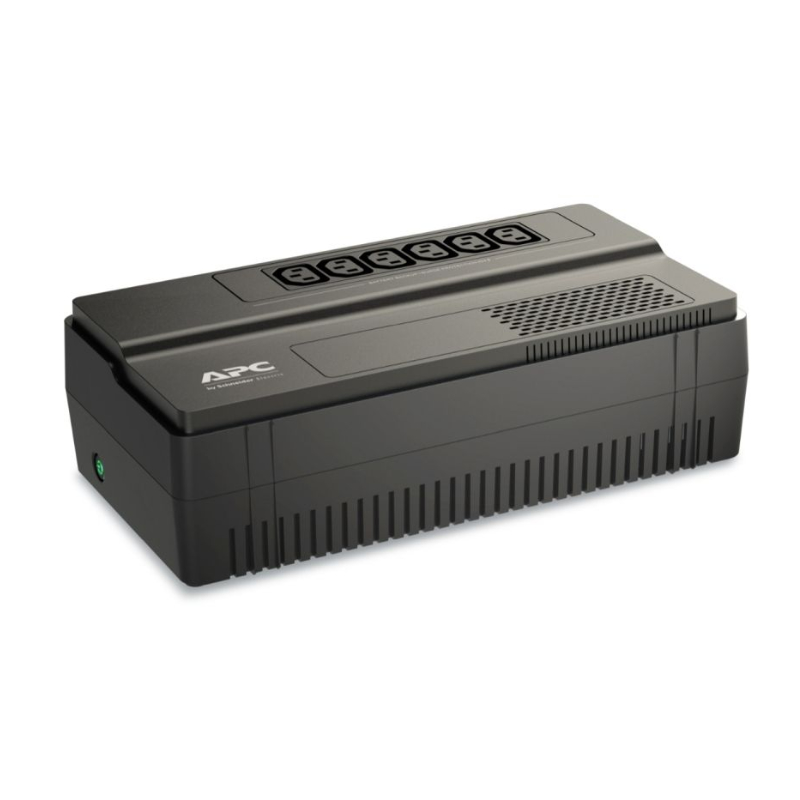
How to Protect Electronics During Power Blackouts
Power blackouts can do more than interrupt your work or entertainment. Sudden power loss, voltage fluctuations, and power surges when electricity returns can damage sensitive electronics such as laptops, desktop computers, TVs, routers, printers, monitors, and networking equipment. Knowing how to protect electronics during power blackouts can help prevent costly damage, data loss, and unnecessary downtime. With the right UPS, surge protection, and backup power solutions, you can keep your essential electronics safer when the electricity goes out.
The good news is that you can significantly reduce these risks with the right power protection strategy.
Whether you work from home, run a business, study online, or rely on electronics every day, this guide explains how to protect electronics during power blackouts, what equipment you need, and what to do before, during, and after a power outage.
Quick Answer: How To Protect Electronics During a Blackout?
The most effective ways to protect electronics during a power blackout are to:
-
Use a UPS (Uninterruptible Power Supply) for computers, networking equipment, and other critical devices.
-
Use a surge protective device (SPD) to protect electronics from voltage spikes.
-
Unplug sensitive electronics when a prolonged outage occurs, particularly when there is a risk of electrical surges.
-
Save your work and shut down computers properly when backup power is running low.
-
Avoid immediately switching on all appliances when electricity returns.
-
Use properly installed whole-home surge protection where appropriate.
-
Keep important devices connected to appropriately sized backup power.
-
Back up important files so a power interruption does not become a data-loss disaster.
The Electrical Safety Foundation International recommends UPS systems for protecting critical electronics from sudden shutdowns and surge protective devices for voltage spikes that can occur when power is restored.
Why Can Power Blackouts Damage Electronics?
A blackout itself is not necessarily the only problem. The electrical conditions surrounding an outage can also put electronic equipment at risk.
1. Sudden power loss
When a computer suddenly loses power, unsaved work can be lost. In some circumstances, unexpected shutdowns can also contribute to data corruption or problems with electrical systems.
This is particularly important for:
-
Desktop computers
-
Servers
-
NAS storage systems
-
Networking equipment
-
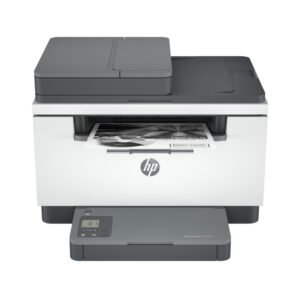
Printers
-
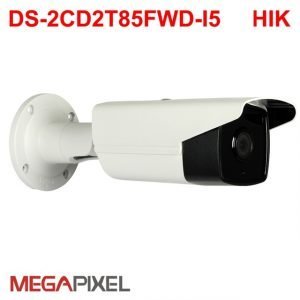
CCTV systems
-
Office equipment
A UPS can provide temporary battery power, giving you time to continue working briefly or shut equipment down safely.
2. Power surges
When electricity returns, voltage spikes can damage sensitive electronic components.
Power surges can originate from several sources, including utility events, lightning, and switching electrical loads. Surge protective devices are specifically designed to reduce the effects of transient voltage surges.
3. Brownouts and voltage fluctuations
Not every power problem is a complete blackout.
A brownout occurs when voltage drops below normal levels. Prolonged voltage fluctuations can cause problems for electronics and appliances, particularly equipment containing motors.
This is why simply using a basic extension cable is not enough protection for valuable electronics.
7 Ways to Protect Your Electronics During Power Blackouts
1. Use a UPS for Critical Electronics
A UPS is one of the most practical ways to protect essential electronics.
Unlike a normal power strip, a UPS contains a battery that can temporarily supply power when the mains electricity fails. This can give you enough time to save your work and shut down your equipment safely.
A UPS can be useful for:
-
Desktop computers
-
Monitors
-
Wi-Fi routers
-
Modems
-
CCTV systems
-
Point-of-sale systems
-
Servers
-
Network switches
-
NAS devices
When choosing a UPS, don’t select one based only on its VA rating. Consider the total power consumption of the equipment you want to connect and how much backup runtime you require.
2. Install Proper Surge Protection
A surge protector and a standard power strip are not necessarily the same thing.
Surge protective devices are designed to protect connected equipment from transient voltage spikes. ESFI specifically notes that ordinary power strips, fuses, and circuit breakers should not be assumed to provide surge protection.
For valuable electronics, consider appropriate surge protection at both the equipment level and, where suitable, the electrical installation level.
Whole-home surge protection should be installed by a qualified electrician.
3. Unplug Sensitive Devices During a Prolonged Blackout
This can help prevent equipment from being exposed to a surge when electricity is restored. Ready.gov similarly recommends unplugging appliances, equipment, and electronics during outages and using surge protection.
Pay particular attention to expensive or sensitive equipment such as:
-
TVs
-
Desktop computers
-
Gaming consoles
-
Printers
-
Audio equipment
-
Networking equipment
-
Chargers and adapters
If you’re using a UPS, follow the manufacturer’s instructions rather than repeatedly disconnecting equipment that needs continuous backup power.
4. Save Your Work Immediately
When the lights go out, don’t wait to see whether electricity will return in a few seconds.
If your computer is connected to a UPS:
-
Save your documents.
-
Save ongoing projects.
-
Close applications.
-
Shut down the computer if the outage continues.
-
Turn off connected equipment according to the manufacturer’s instructions.
This simple habit can prevent lost work and reduce the risk associated with unexpected shutdowns.
5. Protect Your Router and Internet Equipment
For many people, internet connectivity is essential during an outage.
If you work remotely or operate an online business, consider connecting your:
-
Wi-Fi router
-
Fibre ONT
-
Modem
-
Network switch
-
Access point
to a suitable UPS.
Keeping networking equipment powered can allow you to remain connected for a limited period, provided your internet service provider’s infrastructure is still operational.
6. Use Power Banks for Mobile Devices
A power bank can keep essential mobile devices running when wall power is unavailable.
Keep a charged power bank available for:
-
Smartphones
-
Tablets
-
USB-powered accessories
-
Some compatible laptops
For longer outages, choose a power bank based on the device’s charging requirements and the capacity you actually need.
FGEE offers power banks and charging accessories alongside its wider range of computing and electronics products.
7. Don’t Overload Your Backup Power System
A UPS or backup power system has a maximum capacity.
Connecting too many devices can overload it and reduce its runtime—or cause it to shut down.
Before connecting equipment, check:
-
The UPS VA rating
-
The UPS wattage rating
-
The power consumption of your devices
-
Required backup runtime
-
Manufacturer recommendations
For larger offices and IT environments, professional power-backup planning may be necessary.
UPS vs Surge Protector: What’s the Difference?
A UPS and a surge protector solve different problems.
| Feature | UPS | Surge Protector |
|---|---|---|
| Backup battery | Yes | No |
| Keeps equipment running during blackout | Yes, temporarily | No |
| Protects against certain voltage surges | Depending on model | Yes, when properly designed |
| Allows safe shutdown | Yes | No |
| Useful for computers | Yes | Yes |
| Useful for routers | Yes | Yes |
For important equipment, these technologies can complement each other rather than being viewed as interchangeable.
What Electronics Should You Connect to a UPS?
You don’t necessarily need to put every appliance in your home on a UPS.
Prioritize equipment where sudden power loss could cause significant disruption or data loss.
Good candidates include:
-
Desktop computers
-
Servers
-
Network switches
-
Wi-Fi routers
-
Fibre ONTs
-
NAS storage
-
CCTV equipment
-
Point-of-sale systems
-
Essential office equipment
High-power appliances such as refrigerators, microwaves, kettles, heaters, and air conditioners generally require different power-backup considerations.
What Should You Do When Power Returns?
When electricity comes back after a blackout, avoid immediately switching on everything at once.
A practical approach is to:
-
Wait briefly and observe whether the supply appears stable.
-
Check your UPS or surge protection equipment.
-
Reconnect essential electronics first.
-
Switch equipment on gradually.
-
Check computers and storage devices for signs of improper shutdown.
-
Confirm that important files are accessible.
-
If you notice unusual voltage behavior, flickering, burning smells, or damaged equipment, disconnect it and contact a qualified electrician or technician.
Power restoration can be accompanied by electrical disturbances, which is one reason surge protection matters.
How to Choose the Right UPS for Your Computer
Before buying a UPS, consider these five factors.
1. Power requirement
Calculate the approximate wattage of the equipment you want to protect.
2. VA capacity
UPS systems are commonly rated in VA (volt-amperes). A higher VA rating generally allows the UPS to support a larger load, but you should also check the actual wattage rating.
3. Runtime
Decide how long you need your equipment to remain powered.
If your goal is simply to save your work and shut down safely, you may need considerably less runtime than someone operating critical networking or server equipment.
4. Type of UPS
Common UPS configurations include:
-
Standby UPS
-
Line-interactive UPS
-
Online/double-conversion UPS
The appropriate choice depends on your equipment, power environment, budget, and required level of protection.
5. Expansion requirements
If you’re protecting a growing office, consider whether you may add computers, monitors, networking equipment, or other devices later.
Power Backup Solutions for Homes and Businesses in Kenya
For homes, offices, schools, shops, and businesses in Kenya, reliable power protection can help reduce downtime and protect valuable technology.
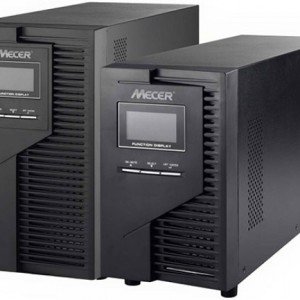
Fgee provides computing, networking, storage, office equipment, accessories, and power solutions in Kenya. Its current product range includes UPS systems such as Mecer and APC models, as well as surge protection and power-bank options.
FGEE also provides technical support and nationwide delivery, making it possible to source power-backup equipment alongside computers, networking hardware, and other IT equipment.
Need a UPS or power protection solution?
Before buying, consider what you need to protect and how long you need it to run.
For example:
-
Home office: laptop/desktop + monitor + router
-
Small business: computers + networking equipment + POS
-
CCTV: cameras + recorder + network equipment
-
Server environment: servers + switches + storage
-
Remote work: laptop + router + phone charging
FGEE can help you choose equipment based on your setup rather than simply choosing the largest UPS available.
Frequently Asked Questions On How To Protect Electronics During Power Blackouts?
Can a power blackout damage a laptop?
A sudden blackout can interrupt charging and cause an unexpected shutdown if the laptop battery is depleted. Voltage disturbances when power returns can also pose risks to connected chargers and equipment. Using appropriate surge protection and keeping the laptop battery charged can reduce these risks.
Is a UPS better than a surge protector?
They perform different functions. A UPS provides temporary battery power during an outage, while a surge protective device is designed to protect against voltage spikes. For critical electronics, you may need both forms of protection.
Should I unplug my TV during a blackout?
For a prolonged outage or when electrical surges are a concern, unplugging sensitive electronics can reduce exposure to power disturbances when electricity returns. Ready.gov recommends unplugging electronics during outages and using surge protection.
How long can a UPS power a computer?
It depends on the UPS capacity, the computer’s power consumption, the monitor and other connected devices, and the battery condition. A UPS designed for safe shutdown may provide only enough runtime to save your work and turn the computer off.
Can a power strip protect my electronics?
Not necessarily. A standard power strip primarily provides additional outlets. It should not automatically be considered a surge protector. Check the product specifications for actual surge-protection functionality.
What is the best way to protect electronics from power surges?
Use properly rated surge protective devices and, where appropriate, whole-home surge protection installed by a qualified professional. For critical equipment, combine appropriate surge protection with UPS backup.
Final Thoughts
Power blackouts are difficult to predict, but the damage they cause to electronics can often be reduced with preparation.
The basic strategy is simple: protect critical electronics with a suitable UPS, use proper surge protection, unplug sensitive equipment when appropriate, and maintain backups of important data.
For homes and businesses, investing in the right power protection can be much less expensive than replacing damaged computers, networking equipment, storage devices, or other electronics after a serious power event.
If you’re looking for UPS systems, surge protection, power banks, computers, networking equipment, or other electronics in Kenya, explore the power and computing solutions available from FGEE Technology.
Protect your technology. Reduce downtime. Be ready for the next blackout.

Comments (0)